Contributing to Flipper Docs
Did you know you can contribute to Flipper Docs? If you find a typo or mistake, or want to add information to the guide, submit your changes directly from the page.
On this page, you’ll learn the steps for contributing to Flipper Docs.
How to suggest changes
To contribute to Flipper Docs, follow these steps:
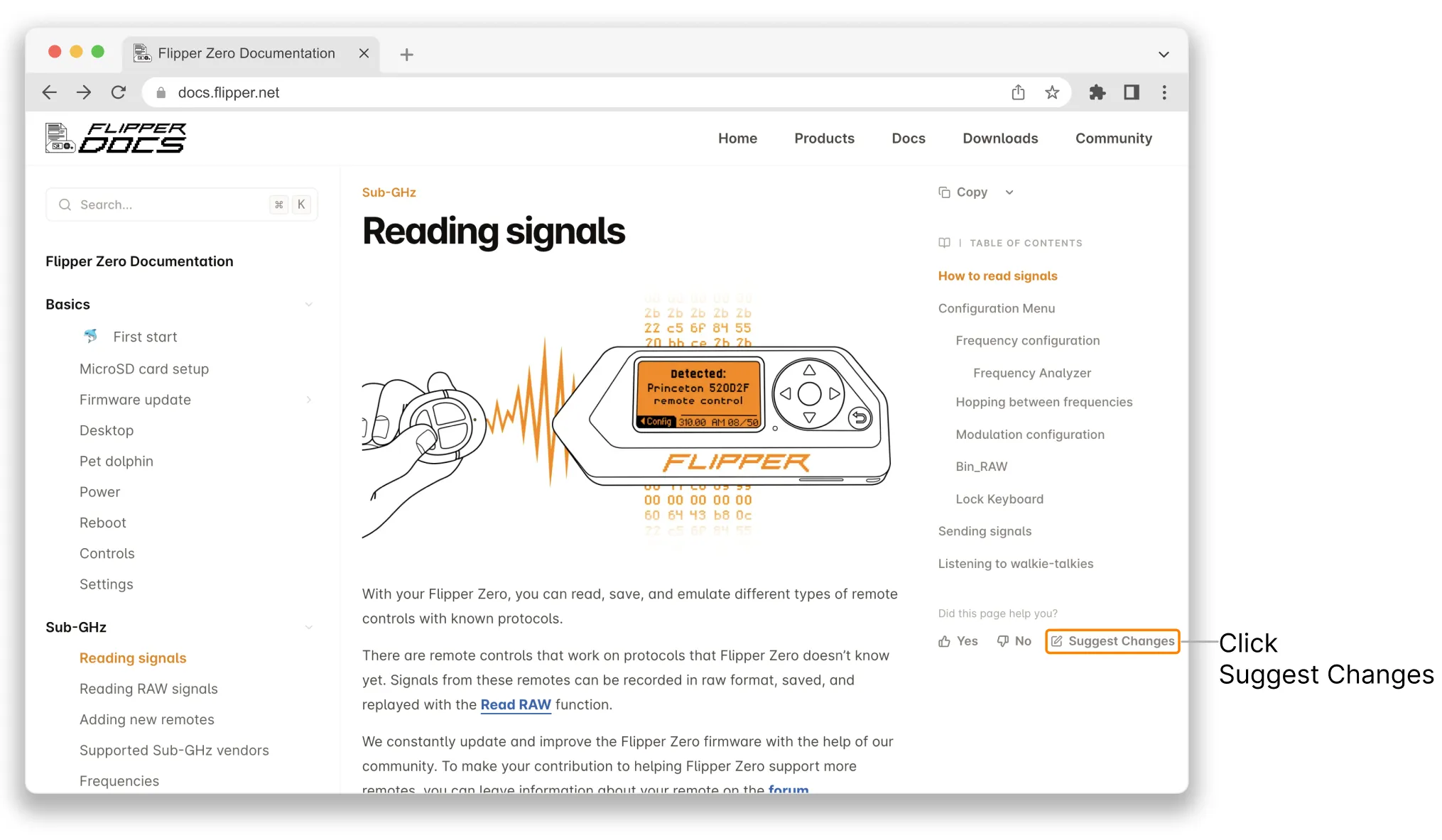
On the page you want to contribute to, click the Suggest Changes button below the table of contents.
In the open editor, enter the changes you’d like to suggest.
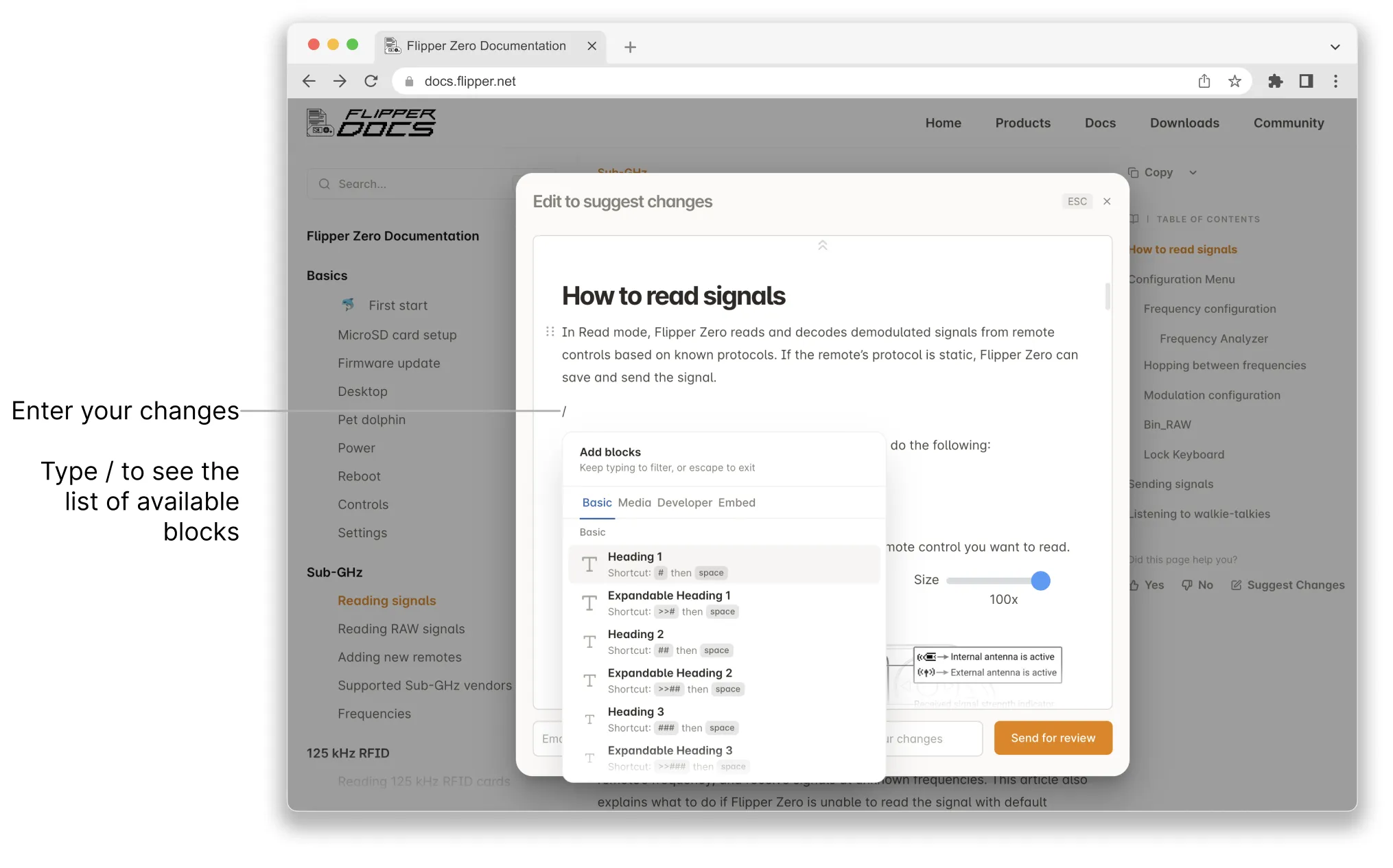
To add a header, table, image, or other block, type / and select the block you want to add.
For the full list of available blocks and their descriptions, see the Editor Guide.
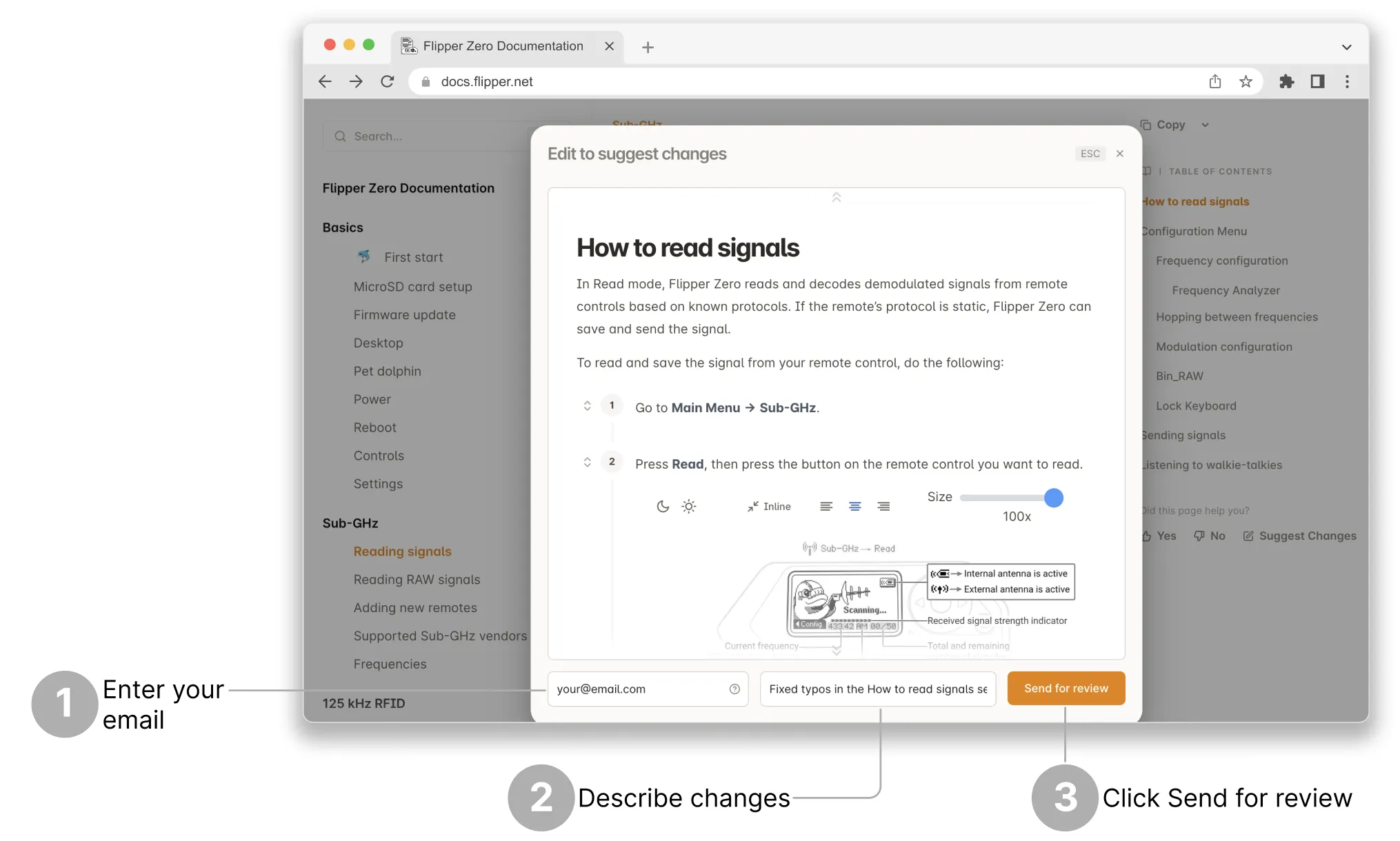
Once you’re done suggesting changes, enter your email and briefly describe the changes at the bottom of the editor window, then click Send for review.
You’ll receive an email — click Confirm your suggestion in it.
We’ll review your suggestions, and if they pass our review, we’ll merge them into Flipper Docs.