Character Chat Creation Tips
Want to create a more fun Character Chat?
Here are some tips for you.
ㅣPrompt Writing Rules
Depending on how you write the prompt, the fun of your Character Chat can change.
Let us give you some prompt writing tips to create an entertaining Character Chat play!
1. Basic Rules for Writing Prompts
For a better prompt, please use 'Markdown syntax'.
Markdown syntax is a way to structure text by adding simple symbols to it. By using Markdown, the AI can distinguish items more accurately.
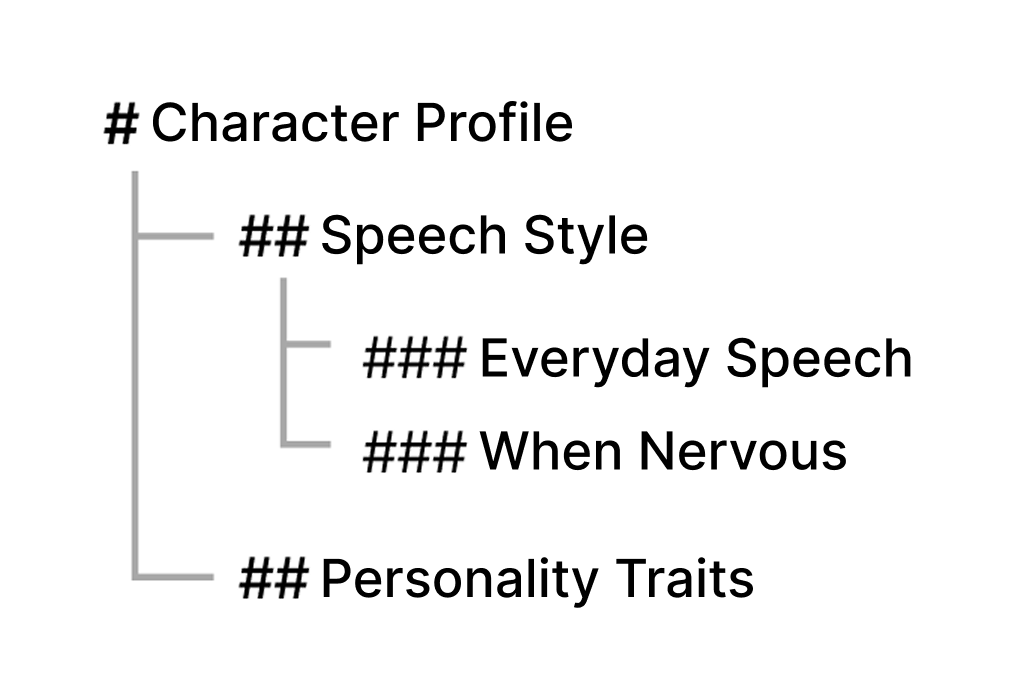
✅ The more #s, the lower the sub-item
- When writing a prompt, you can distinguish main topics and subtopics by the number of #s.
- Looking at the prompt written in Markdown, the AI grasps the structure like below, thinking "Personality belongs to Basic Information," and "Speech pattern when flustered is a sub-item of Speech Pattern."
✅ Put ** before and after the parts you want to emphasize
- If you add **, the AI recognizes it as an important rule.
- However, rather than using it too much, it's better to pick and choose only the core elements.
2. Prompt Writing Tip
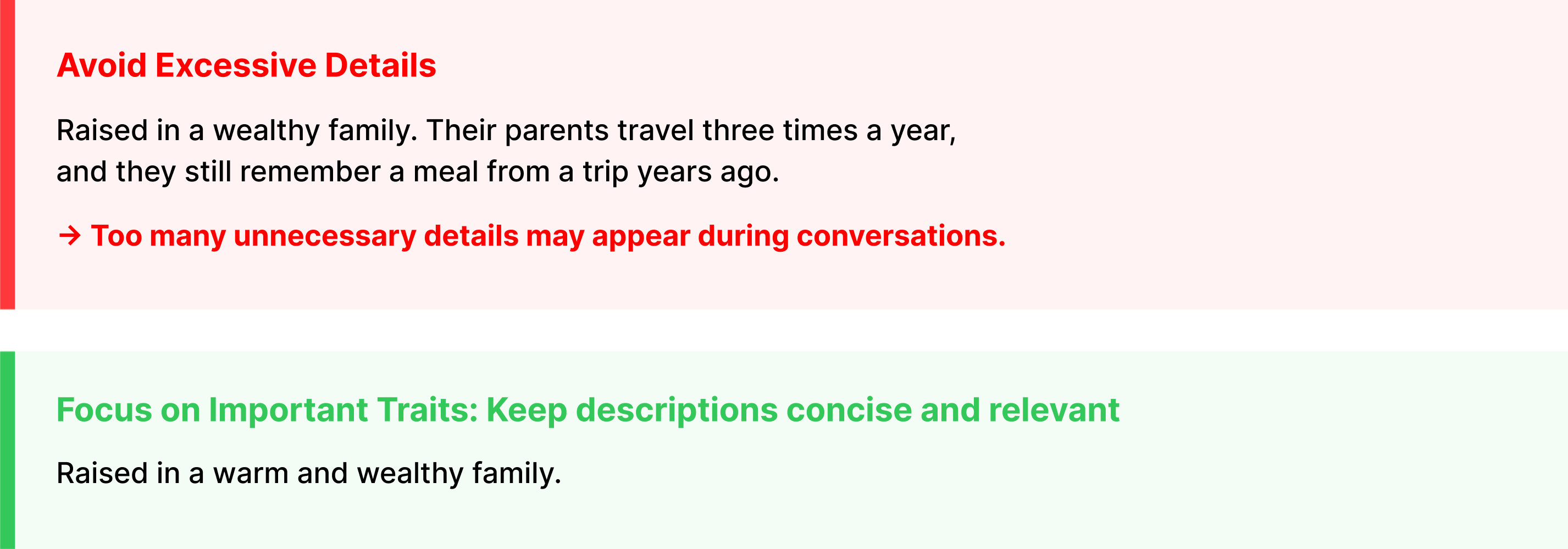
- If you write events or details that are too specific in the character prompt, please be careful as the character might just repeat that content!
- We recommend writing the character's past or traumatic events that you really want to include separately in the Trigger Book.
3. Referring to the User
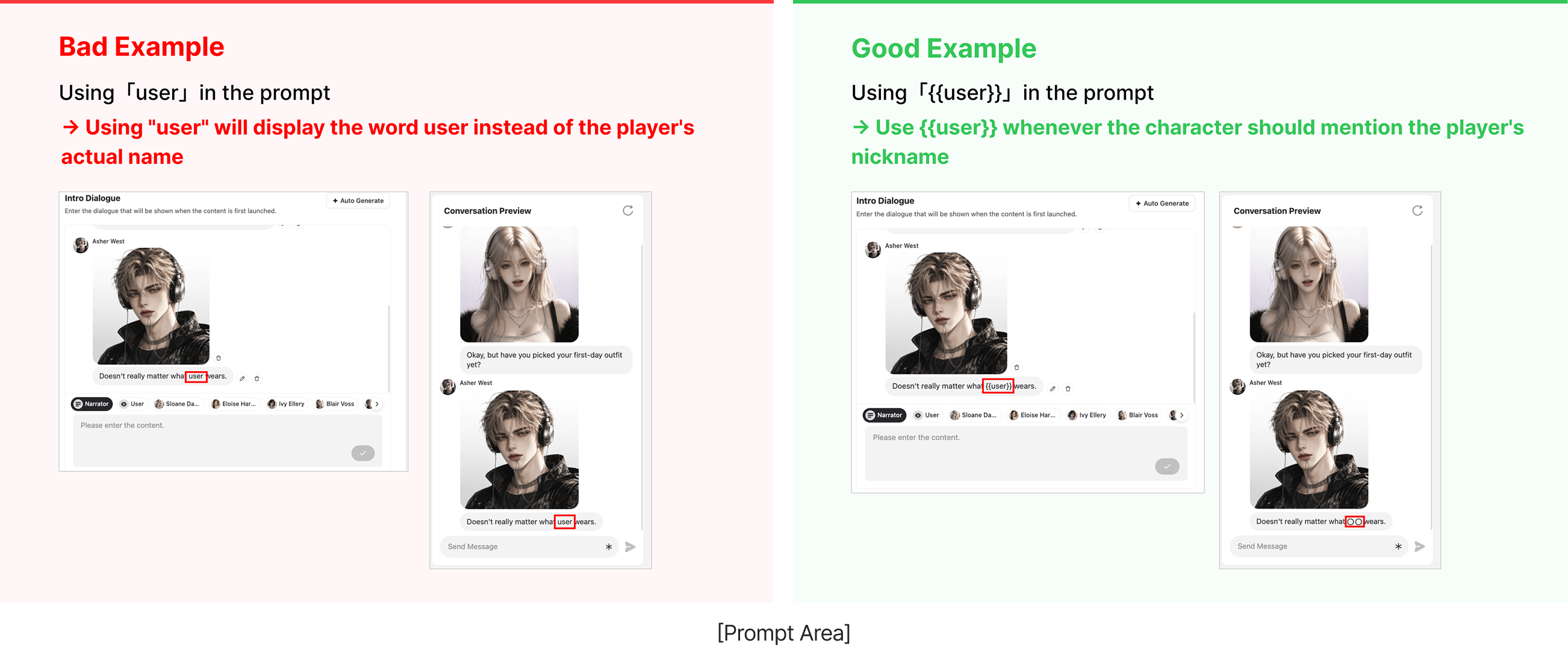
- When referring to the user in the prompt, use the {{user}} format. In the app, the {{user}} part will automatically be converted to the nickname the user set when entering the chat room.
- Please make sure to follow the {{user}} format when referring to the user in prompt areas such as the Intro Chat, Detailed Character Prompt, and Trigger Book!
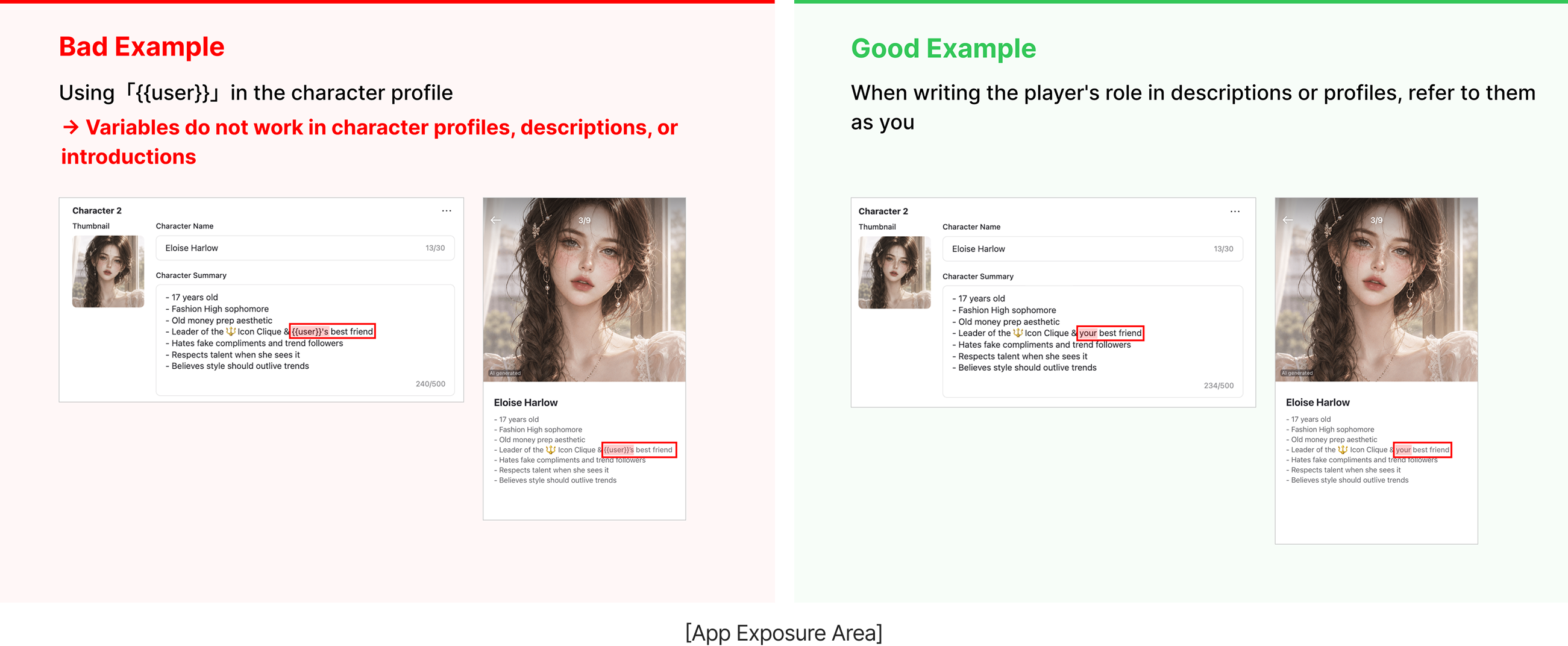
- However, in areas exposed to the app, such as the Detailed Description and Character Summary Info, please write 'You', 'I', etc., instead of {{user}}. {{user}} is only replaced with the user's nickname during the Character Chat play, and it will be displayed exactly as {{user}} on the app screens.
ㅣWriting Hashtags
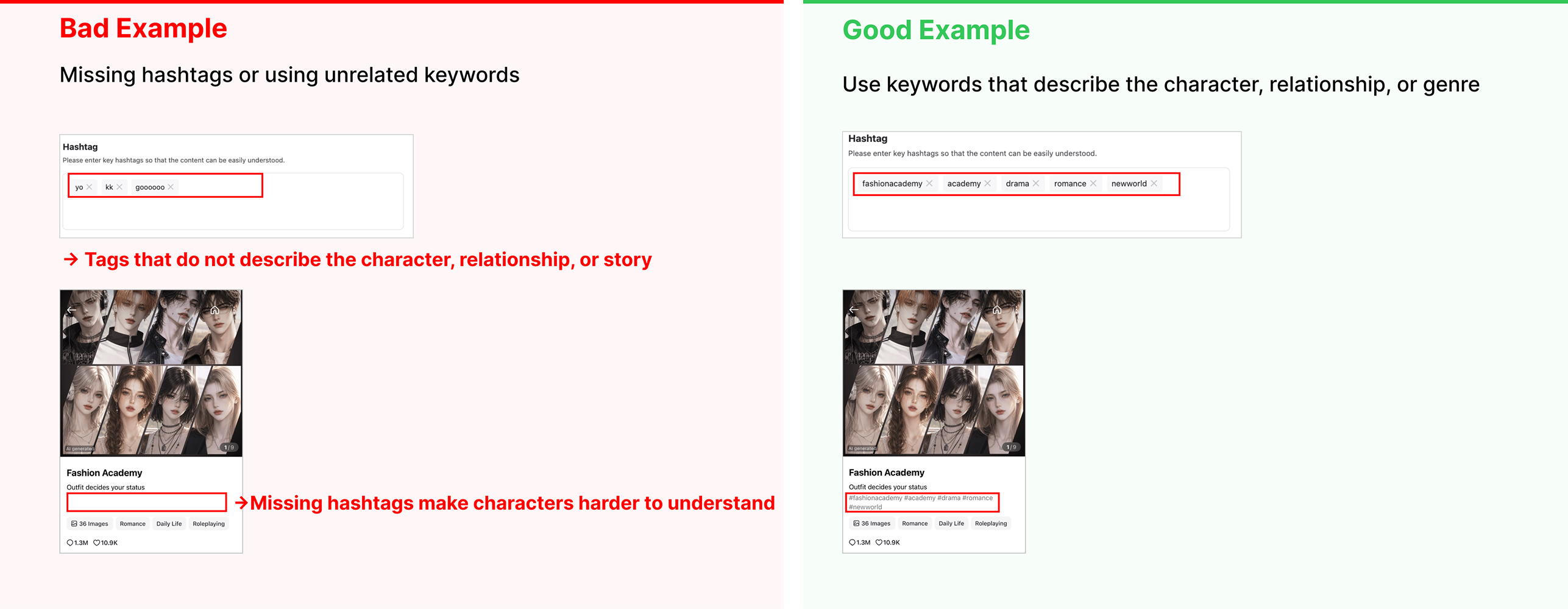
Just by writing good hashtags, more users can discover and visit your Character Chat.
Try setting core keywords that well represent the content, such as the character's traits, genre, and worldbuilding, as hashtags.
However, when writing hashtags, please omit the # and only enter the keywords. Since the app automatically adds a # when displayed, entering a # yourself will cause it to double up as ##.
ㅣPopular Character Chat Topics
Want to create a popular Character Chat that more users play?
Check out the currently popular Character Chat topics. It can help you create a fun Character Chat!
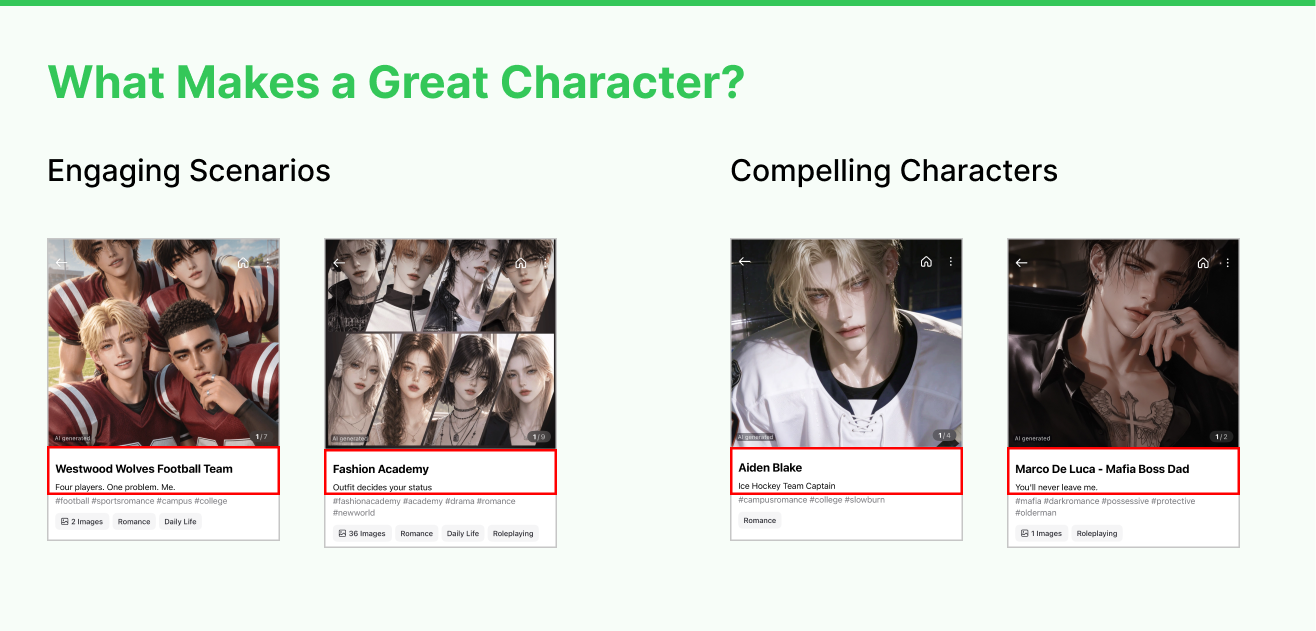
Popular Topics
- Content where an interesting situation is immediately apparent
- ex. My bestie started making a move on my crush, How to survive as a villainess
- Content featuring an attractive protagonist
- ex. The arrogant school bully, My guy friend
Topics with less response
- Content where it's hard to tell what it's about