Overdrawn account
Overdrawn account report
The Overdrawn Account Report is an .xlsx file generated daily by the Cross River Operating System (COS) and sent via SFTP. It contains a list of the your customer's accounts that are overdrawn.
You can use this report to reconcile between what you requested from the Cross River Operating System (COS) and what COS actually processed.
Only accounts that meet certain criteria appear in this report:
- Only accounts with Overdraft Funding Enabled and a configured Overdraft Funding Account Number appear
- Overdraft is determined by the configured overdraft funding threshold, and not just by a negative account balance
- No subaccounts appear, only master accounts
Report in detail
Column | Description |
|---|---|
Partner | Partner name |
Master Account Number | Your customer’s master account number |
Account Title | The name on the account |
Date Account Opened | The date the account was originally opened in COS |
Master Current Balance | Current balance on the account. This balance is compared against the overdraft funding threshold. |
Master Available Balance | Available balance on the account |
Date Overdrawn | Day the account first became overdrawn |
Fed Days in Overdraft | The number of days the account has been overdrawn |
Sample report
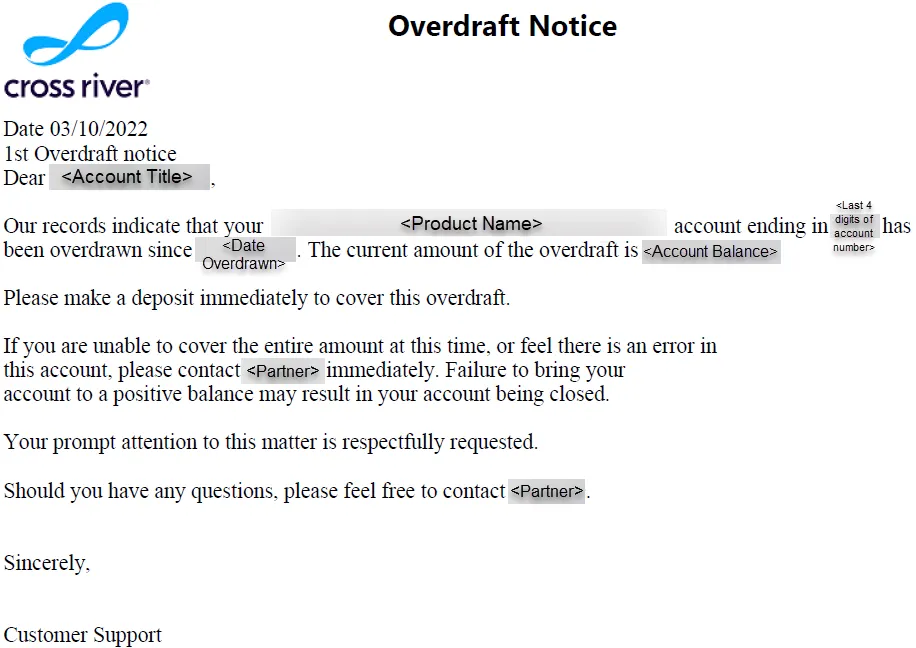
Overdraft notice
On the 1st and 7th days of a customer’s account being overdrawn, COS sends the following form notice to the customer in PDF format, with the fields in the letter populated from the Overdrawn Account Report and additional data fields.