Custom variables
6 min
Custom variables are similar to scenario variables, but they are defined at the organization or team level.
Use custom variables when you need:
- Data shared across multiple
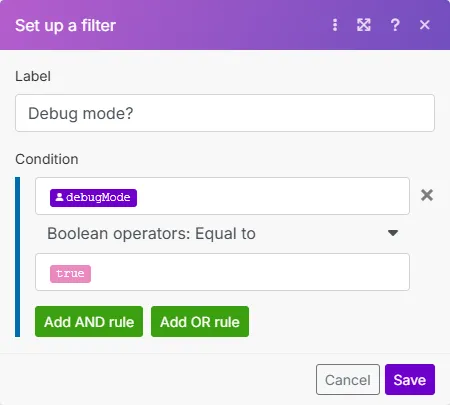
- Settings that control how behave (for example, TestMode = true/false)
- Values that persist between runs
- Team or organization-wide configuration values
Custom variables are available only on Pro, Teams, and Enterprise pricing plans. See Make pricing for more information.
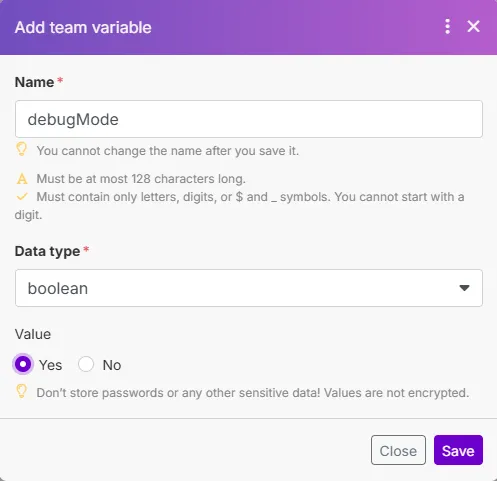
For each variable, you need to identify the:
- Name (permanent variable name)
- Data type (text, number, Boolean, or date)
- Value (the actual value of the variable)
Here are some situations for which you might use custom variables:
- Keep track of a value between multiple executions
- Share a value between different
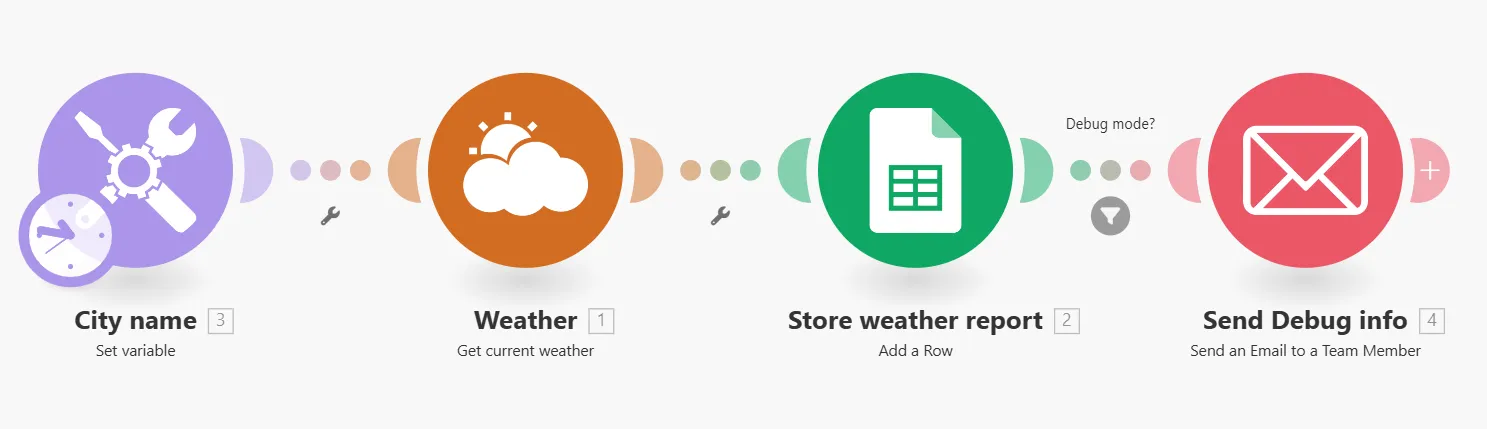
- Set a global variable that various leverage. For example TestMode = true/false so the routes differently according to the value.
- Change the behavior of a without modifying the blueprint. For example, myLimit=20 set as a custom variable in the Limit field of a module.
Variables are not meant to store secrets. Don’t use them for anything sensitive!
Variable values are not encrypted as they are stored in plain text. Don’t use variables to store passwords or any other sensitive data. Be aware that other team members and organization admins can access all custom variables.