Sub-agents and tool output filtering are now available in the Make AI Agent (New) app
5 min
Sub-agents and tool output filtering in the Make AI Agent (New) app are available on all plans.
In the Make AI Agent (New) app, you can now add agents as tools and filter tool outputs.
Sub-agents
Previously, agents could use modules, scenarios, and MCP servers as tools, but not other agents. Now, you can add sub-agents as tools for tasks that need their own reasoning and set of tools.
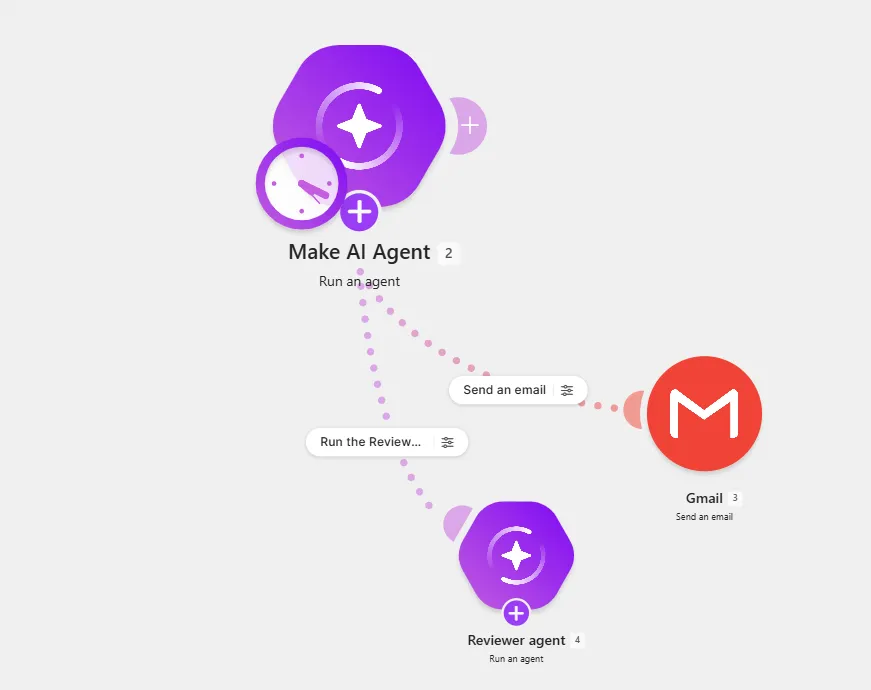
Overview
- Task orchestration: The parent agent can delegate tasks to specialized sub-agents, such as reviewers or researchers.
- Multi-agent workflows: Add as many sub-agents to the parent agent as needed to collaborate on complex tasks.
- One-level nesting: A parent agent can have a sub-agent, but a sub-agent can't have another sub-agent.
- Agent-to-agent communication: Conversation IDs allow the parent agent to continue their conversation with sub-agents across runs.
Learn more
To learn how to add agents as tools, see Add agents.
Tool output filtering
Previously, tools that you gave your agent returned the entire output. You can now use tool output filtering to exclude irrelevant fields from outputs and reduce credit usage.
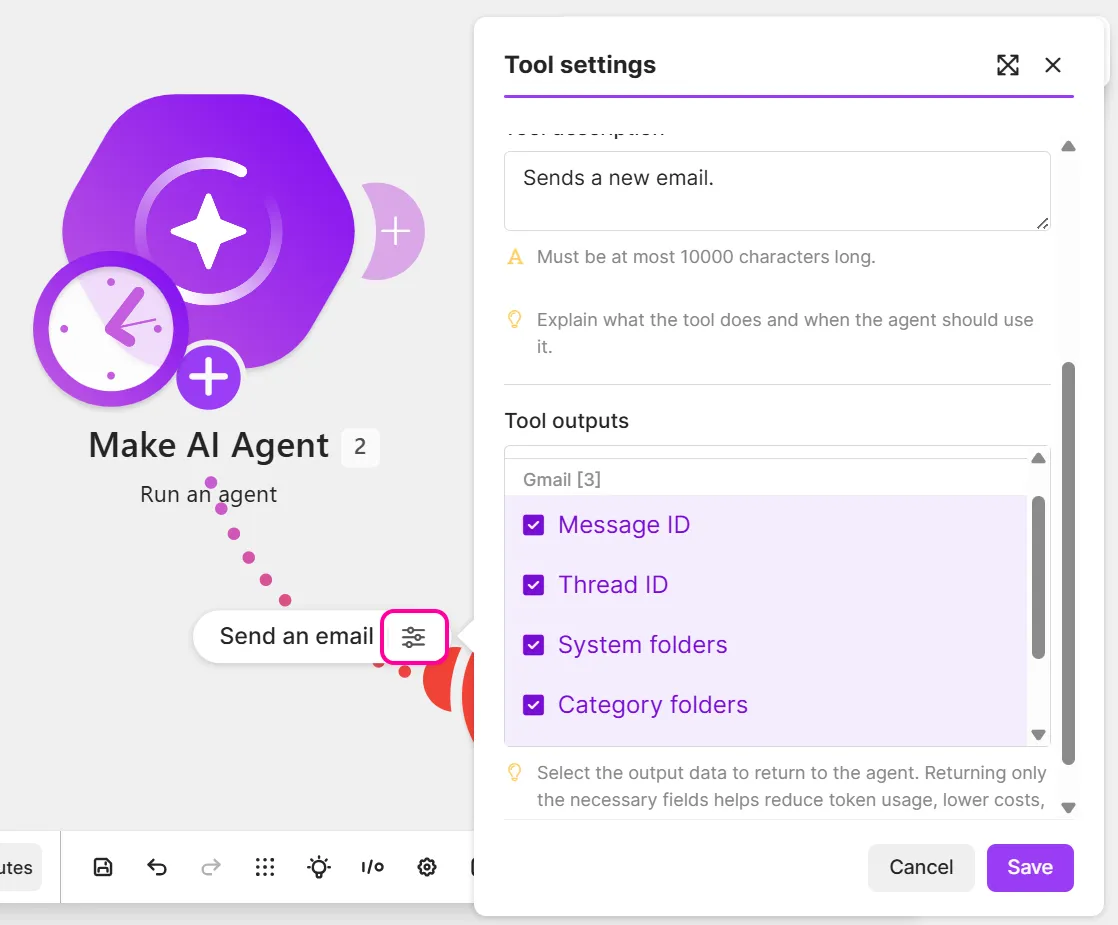
Overview
- Limit outputs: Remove fields you don't want the agent to process from tool outputs.
- Default metadata exclusion: Internal metadata fields from tool outputs are excluded by default. You can include them at any time.
- Tool availability: Tool output filtering is unavailable in Scenarios, MCP, and Knowledge tools.
Learn more
To learn how to filter tool outputs, see Add tools.