Step 2. Get your apps ready
Before building your first scenario, you need to get your apps and accounts ready.
Required accounts
- A Make account (Create one here)
- A Slack account and workspace (Sign up for Slack)
- A Google account (Create an account)
With your accounts created, the next step is to set up Slack and Google Sheets that you will use in your scenario.
Set up Slack
To create a channel where your sales team will receive notifications:
Open your Slack workspace.
Click the three dots next to Channels in the left sidebar.
Select Create channel from the dropdown menu.
Name it "sales-team".
Ensure the visibility is set to "Public".
Add a description (optional).
Click Create.
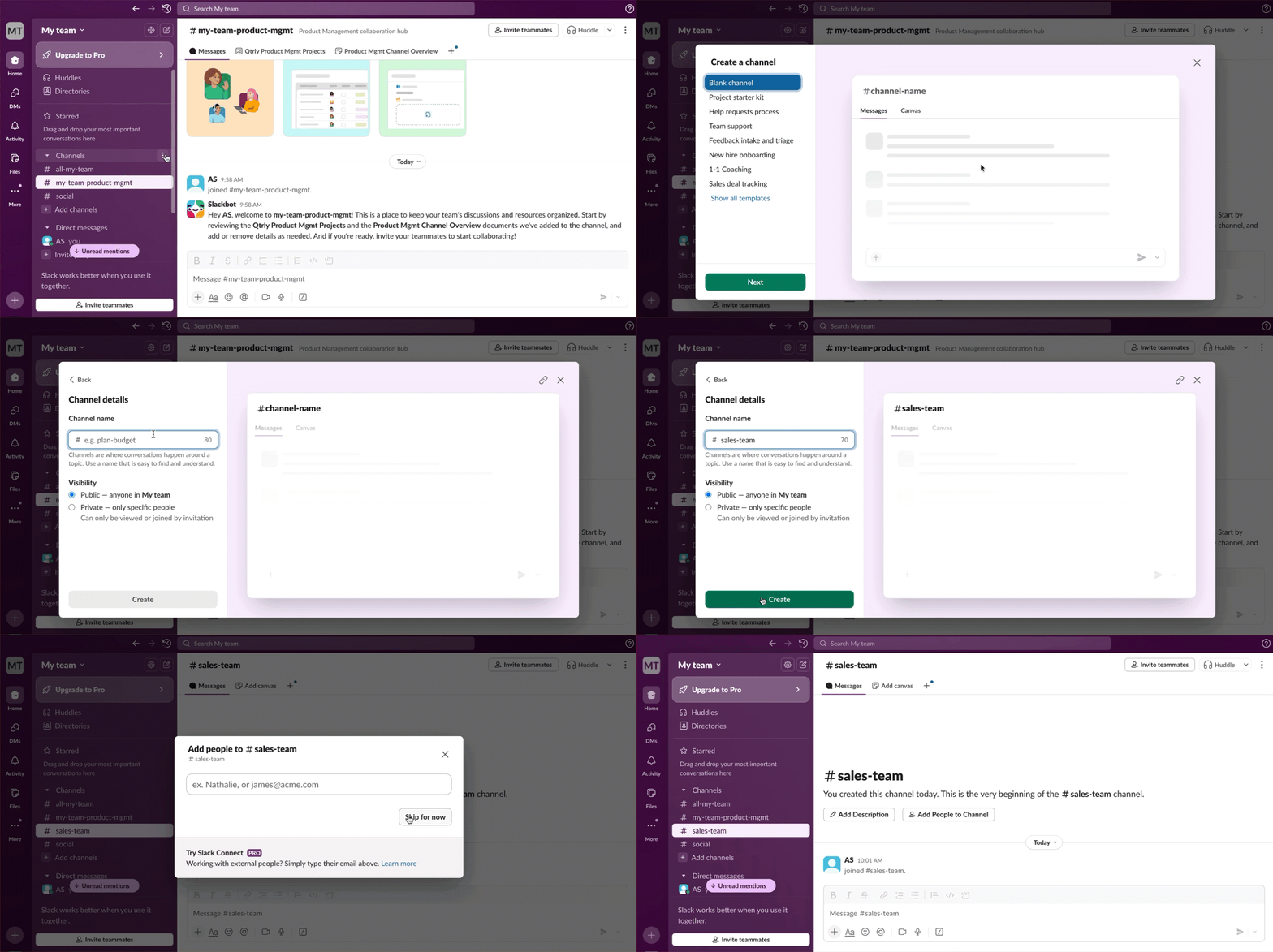
This channel will be used to send prospect notifications to the sales team.
Set up Google Sheets
To create a spreadsheet to store prospect information:
Go to Google Sheets.
Start a new spreadsheet.
Rename it to "Prospects".
Add these columns:
- First Name
- Last Name
- Country
- Phone Number
- Details
Add one row of sample data.
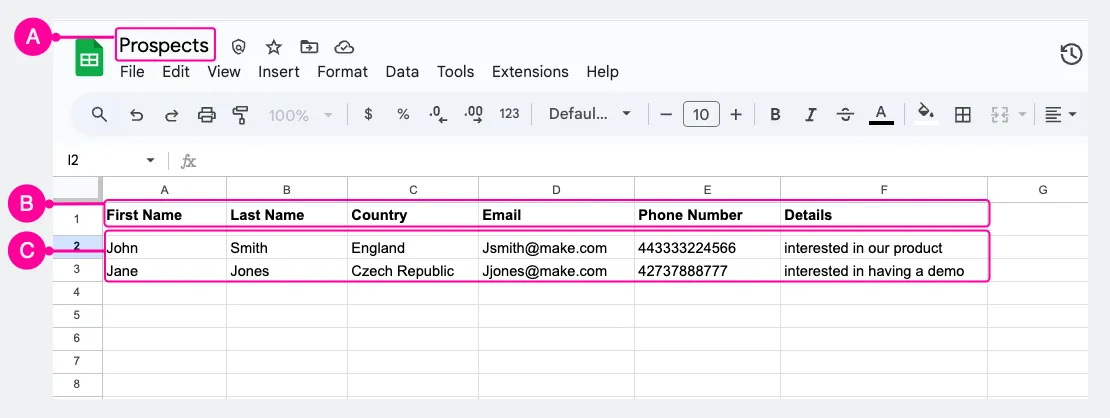
Google Sheet with proper column setup and sample data showing:
- The name of your file (A)
- Columns you added (B)
- Sample data (C)
Keep this spreadsheet open in another browser tab for easy access while you build your scenario.