Introducing scenario sharing
Scenario sharing is available on all plans.
You can now share your scenario with others through a link or post directly on social media.
Key benefits
- Always up to date: No need to export, import, re-export, and copy scenario blueprint after any change. The link always shows the latest saved version.
- Perfect for demos: Viewers can see the automation instantly; no login or Make account is required to view the public page.
- Streamlined sharing: It's more flexible and straightforward than creating and sharing a scenario through a template.
- Enhanced visibility: You can share links to your scenarios on social media platforms or anywhere you want.
Where to find it
To begin sharing, click the Share button in the upper-right corner of the Scenario Builder or diagram:
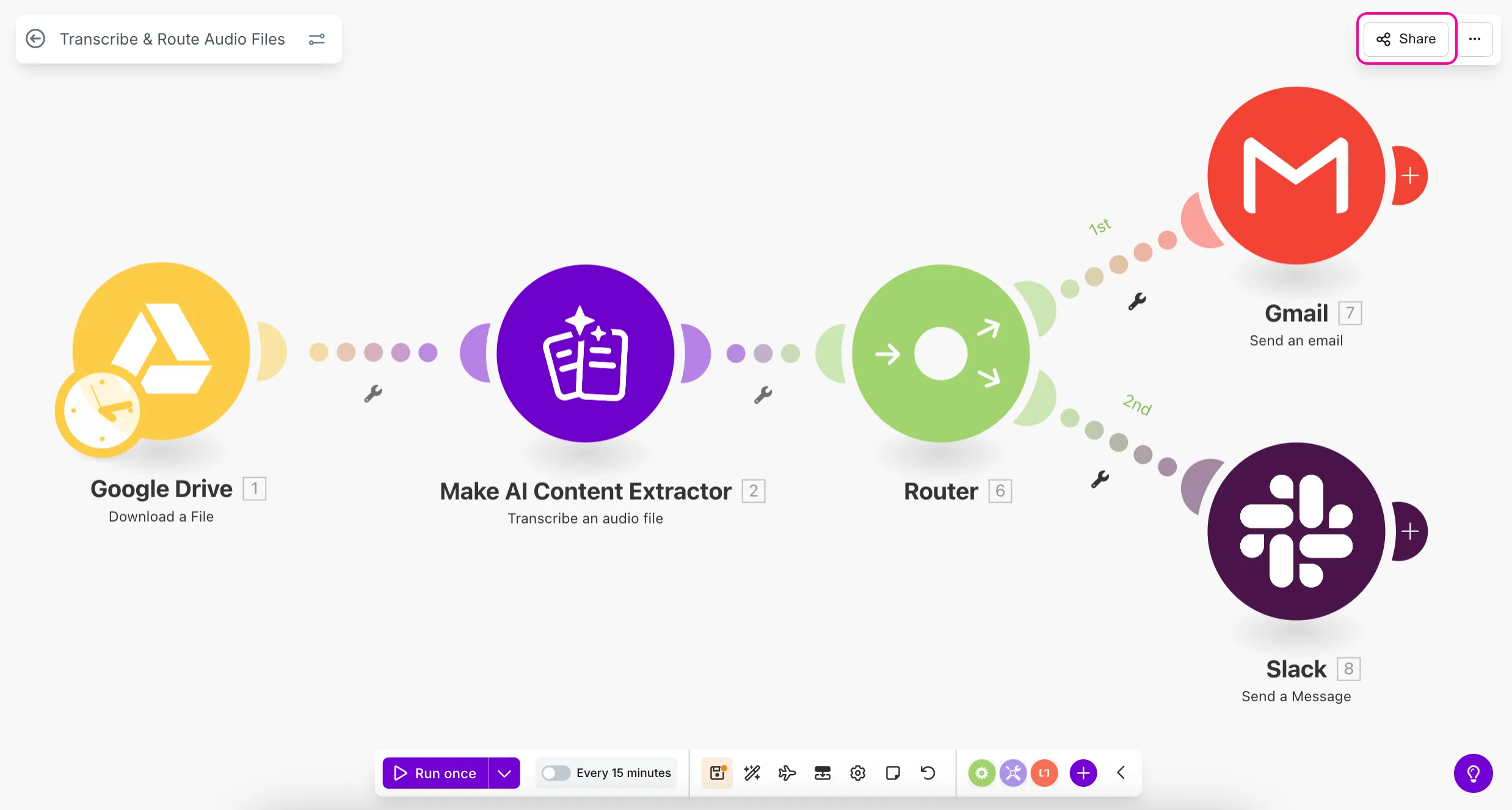
Then, enable the Public scenario page:

A Public scenario page will be created where others can view your automation or log in to Make and copy the scenario to their accounts:
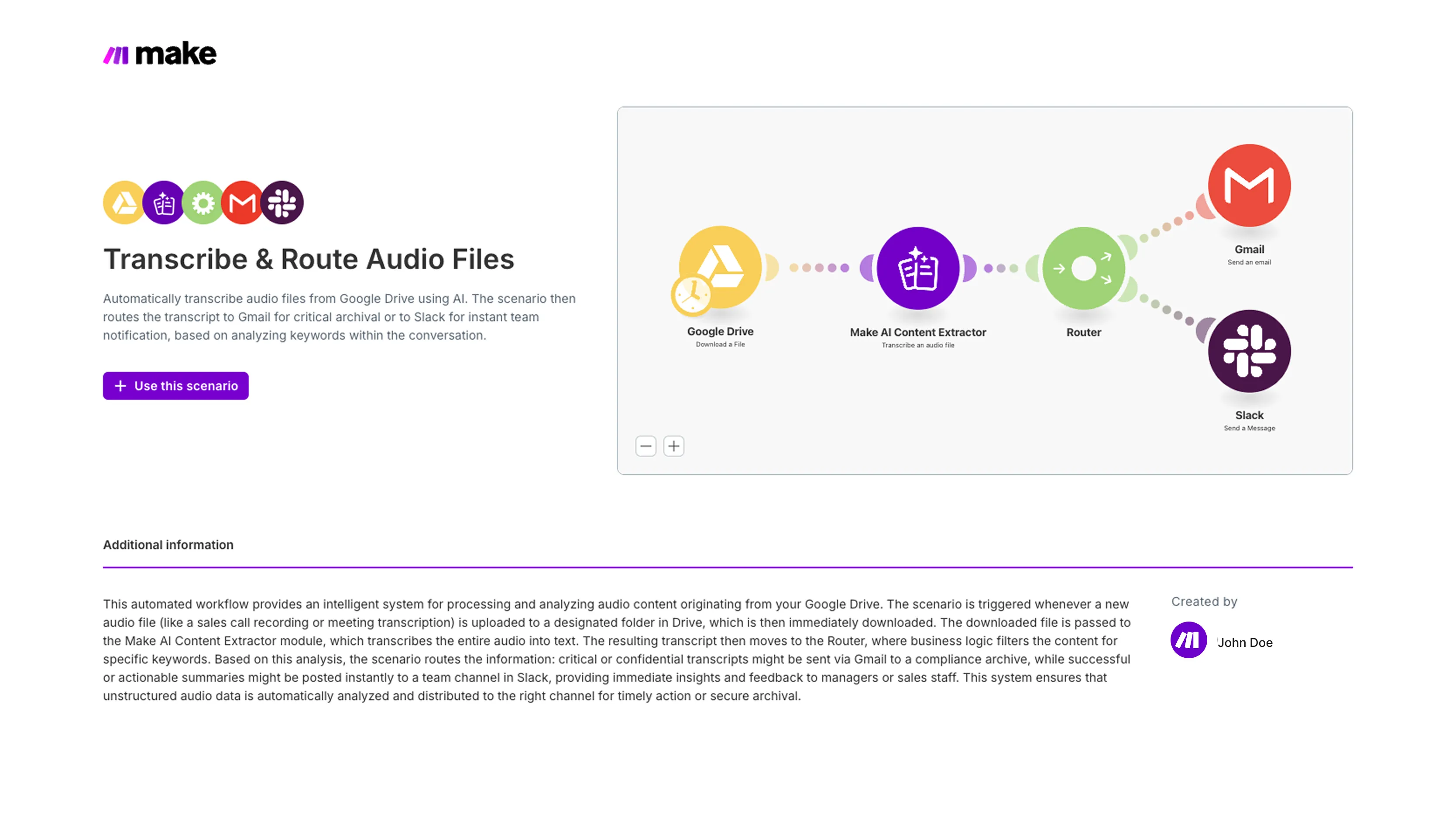
To share a scenario through social media, choose the Share via social option and post the link with a preview and short description:

To enhance the sharing experience, we've also moved the Import blueprint and Export blueprint options to the upper-right corner of the Scenario Builder.
You can now copy the scenario blueprint to your clipboard and paste it into other scenarios, LLMs, or other compatible tools.
Where to learn more
- Technical documentation: Scenario sharing
- Technical documentation: Scenario blueprints