Creating Groups
Overview
Groups can be created within a group type. This allows you to further customize how your company is organized.
Creating a group
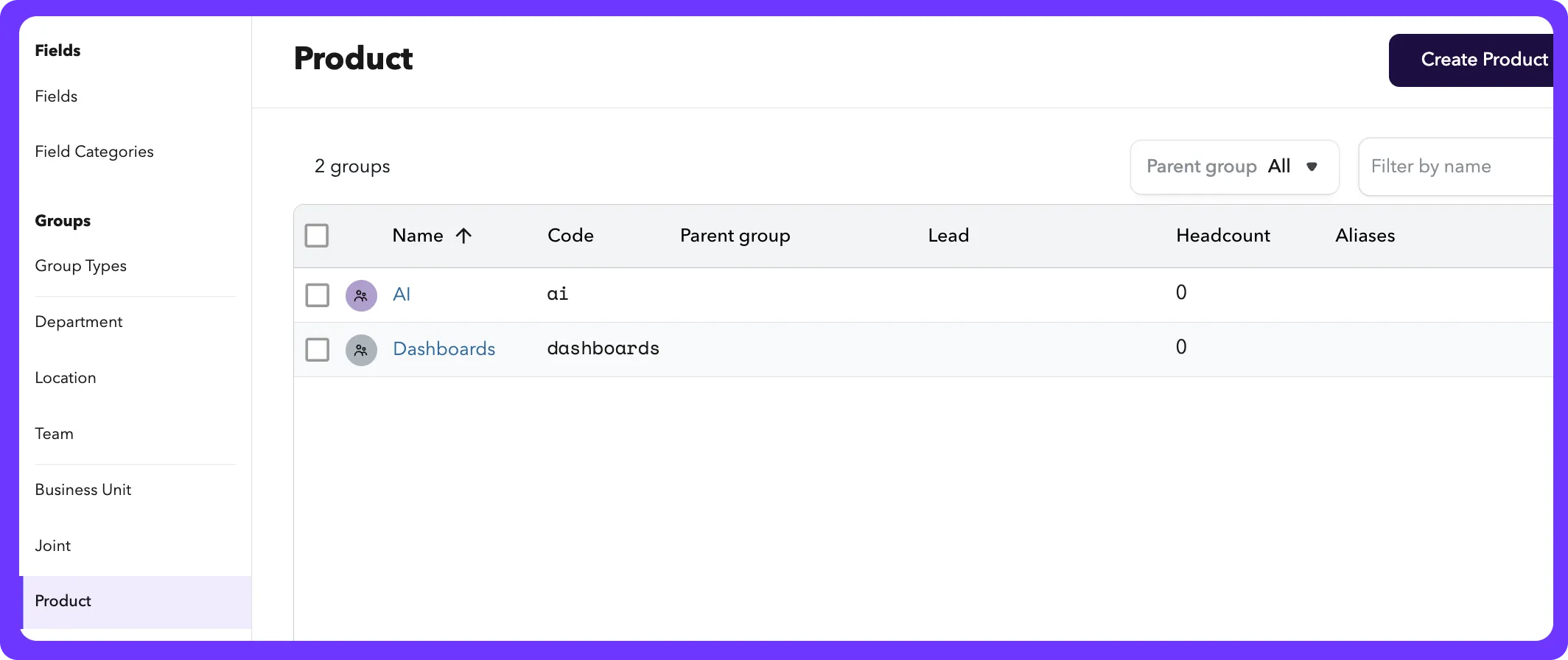
You can add groups by selecting the group type and clicking "Create [group name]". In the example below, our Product group type has 2 groups within it for our current projects- AI and Dashboards.
Description: This is visible in the groups table, and in the group details where you manage membership.
Parent Group: You can nest groups underneath other groups in a group type.
Start date: The date at which this group will be visible in ChartHop (for example, on the org chart).
Color: The color you choose will be used in the org chart display
Code and Alias: These are optional, and can be used to sync data from other systems.
Assigning members
Once a group is created, clicking the name of the group will open up the group details page.
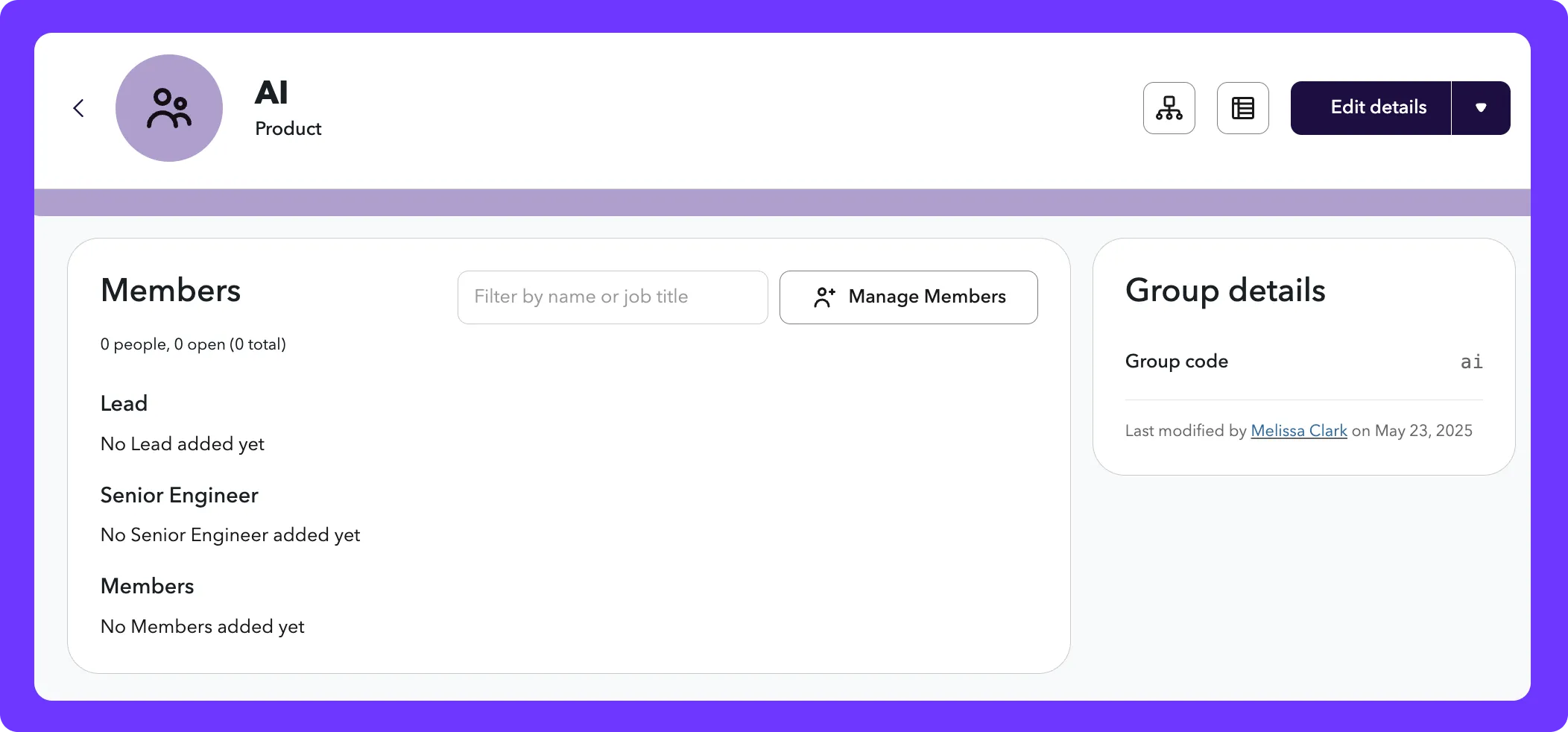
The positions available are created in the group type. Learn more about creating group types here: Creating a new Group Type
- Click "Manage Members"
- Choose the person that should fit the roles you want to fill. You can also add additional members until your team is full.
Editing group details
From the Group details page, you can click "Edit details" if you want to change the name, description, parent groups, start date or color.
What can I do with groups?
A lot! You can leverage ChartHop's org charts, dashboards, datasheet, and scenarios to maximize visibility and functionality of your company's groups.
- People ops managers may group employees by product line so they can quickly understand how each product area is staffed and where there may be gaps.
- Executive teams may want to filter dashboards and analytics by acquisition group so they can compare engagement, attrition, or compensation trends across legacy and acquired teams.
- New hires may want to see org charts grouped by business unit (e.g., retail vs. enterprise) to better understand reporting lines and resourcing.
- IT directors may want to assign access to specific tools or dashboards based on group membership (e.g., “All employees in the ACME acquisition”) to manage data security.