
Configuring general settings
In the General tab, you can configure information about your organization, including basic information, date formats, and user management defaults.
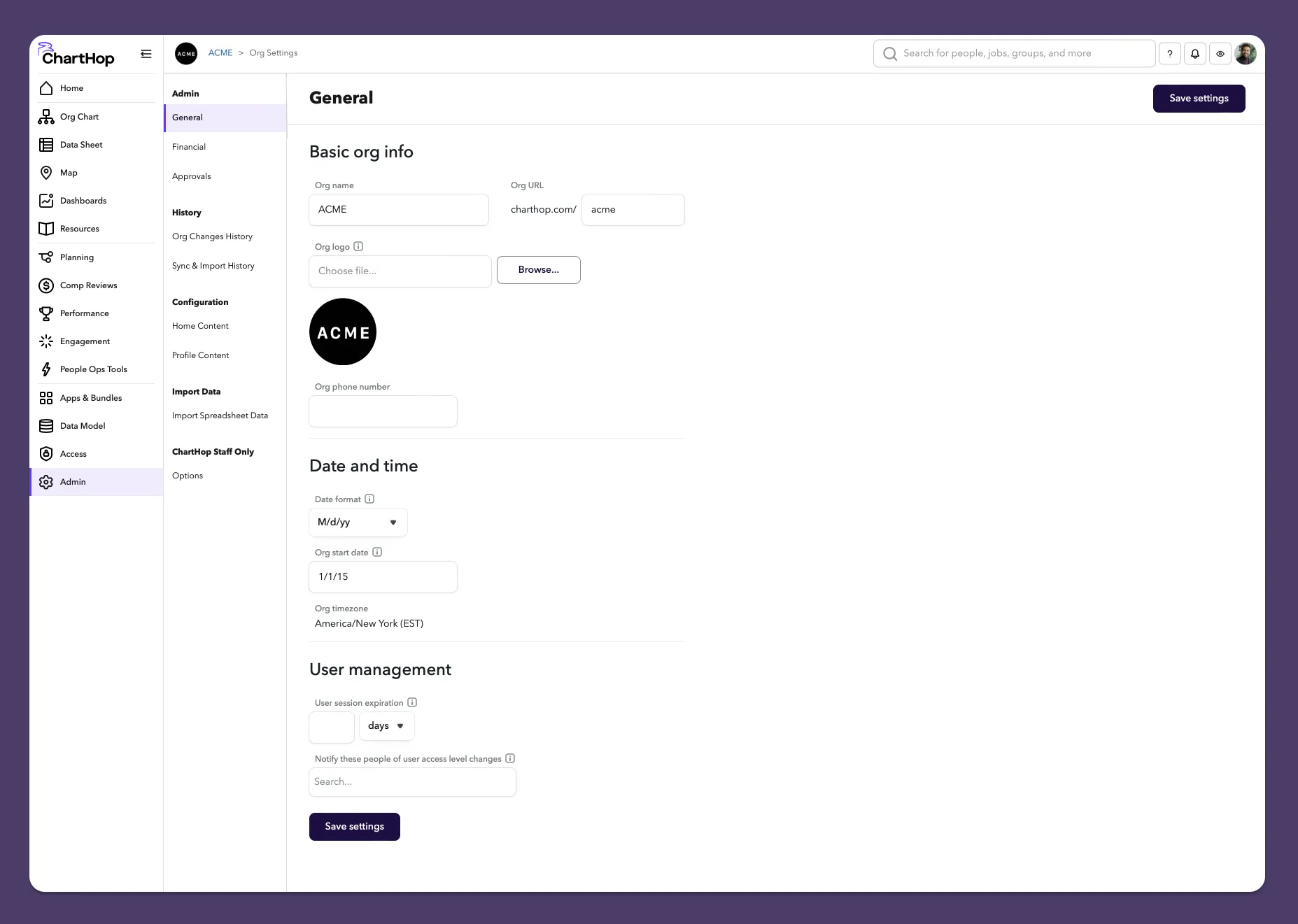
To configure your organization's general settings:
- From the left sidebar, select Admin.
- From the sub-menu, select General if not already pre-selected.
- Update your company information. See below for details
- Select Save to save your changes.
Basic org info
- Org name - The name of your organization. It will appear at the top of the account at all times.
- Org URL - The subdomain of your organization, delineated by dashes. It will be used in your charthop url.
- Org phone number - The main phone number for your organization.
Branding
These colors and logos will be used throughout the app to make it feel more algined with your organization. It will be used on:
- Home page
- ChartHop mobile app
Branding recommendations
- Primary brand color — This will be used as a background on the home page and mobile app. We suggest selecting a brand color that is will look good as a compliment to your logo. Often this is a dark color or off white.
- Secondary brand color — This color is currently not used by default, but more options of how to use this color will come in the future.
- Square logo — This logo will appear in the top right corner of your ChartHop account and many other places. We suggest you add a logo where a color other than white takes up the entire square. Circular logos or logos with clear backgrounds are not recommend. The recommended size is 200x200 or 100x100 pixels.
- Horizontal logo — This logo will primarily be used set against your primary brand color so make sure they work together well. We recommend a logo with a transparent background. For example, the white ChartHop logo set against dark purple. Any logo larger than 100 pixels tall should look great.
Tips on finding your company's branding
- Check your intranet, internal resources or your marketing team.
- Ask for "A brand background color and a logo that would look good on top of that color. For example, a dark purple background and a white logo."
- Check your company website for a brand guidelines page.
- Check your company LinkedIn or social media page for square logos. Right-click and "Save image as" then upload that image.
Date and time
- Date format - The date format that is used throughout your organization.
- Org start date - The official date on which your organization was established.
Notifications
- Where should the notifications for all employees be sent by default? - Sets the default notification settings for your organization. Do you want notifications to go to Slack or Microsoft Teams by default or to email?