Activate Your Modem
2 min
Activate a Single Modem
- Sign in or create an account at http://brightsignmobile.zipitportal.com (see this page for more information about Zipit).
- Select Claim Your Device.
Input the serial number (IMEI) of the cell modem in the claim code field to register your device (see the image below).
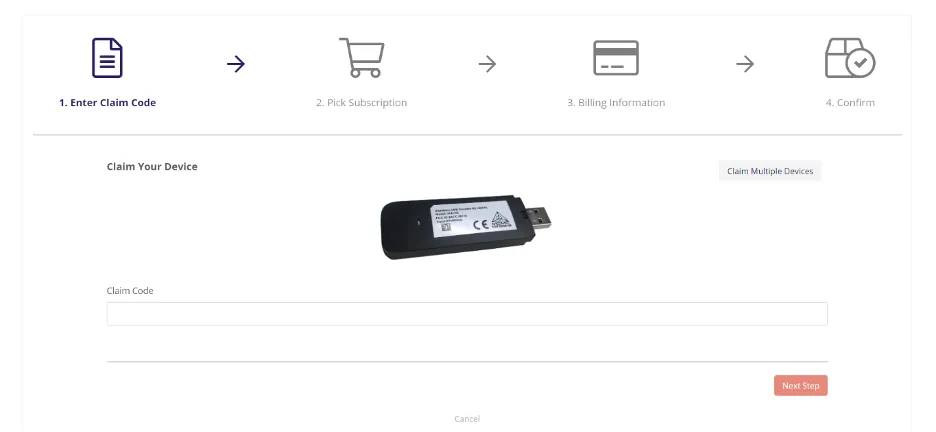
- Select the country where the modem will be used.
Choose your data plandata plan (see the image below).
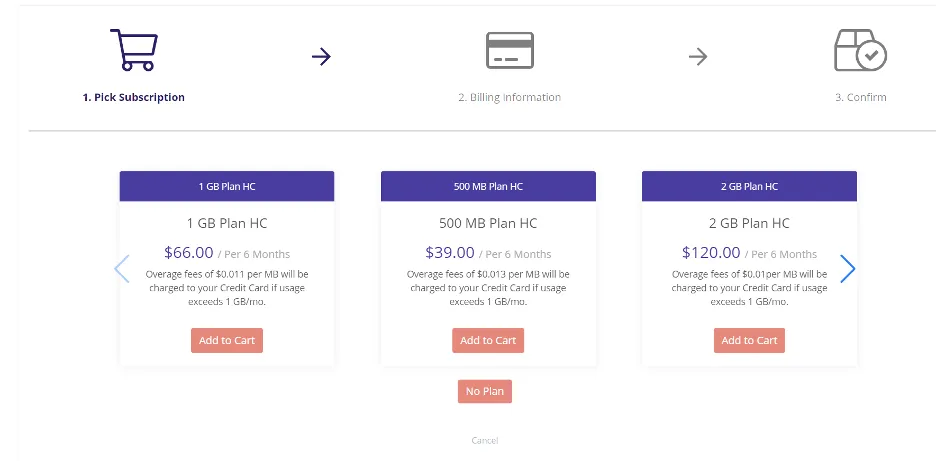
- Add a credit card or select the credit card that is already on file for the account.
- Select Confirm to activate the modem.
Activate Multiple Modems
You can activate multiple devices at once using the portal. To do this:
- Go to Claim Your Devices
- Select Claim Multiple Devices.
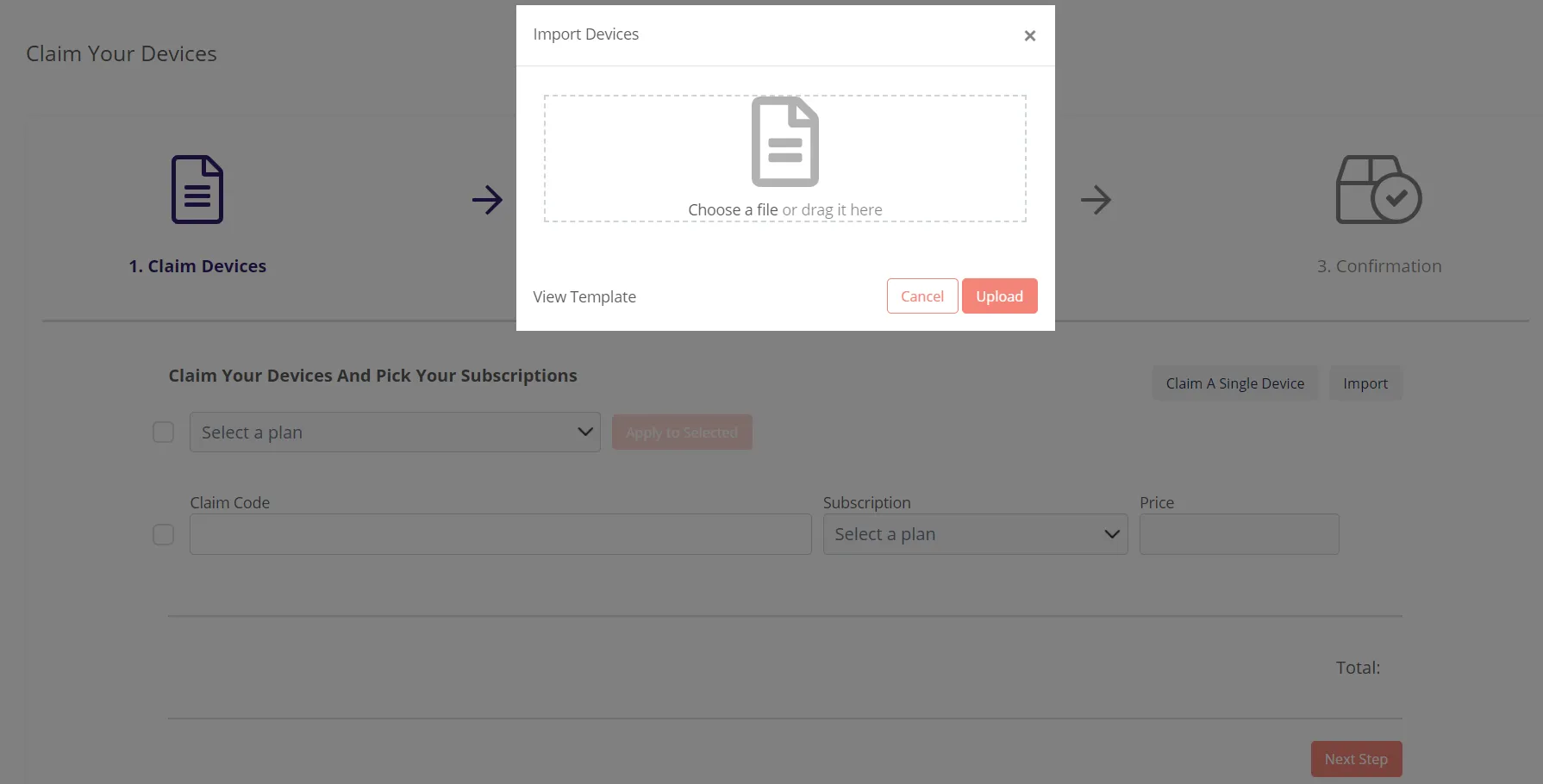
Select the View Template option to add a file specifying your devices as a CSV or XLS file (see the image below). Select Upload.
Select a data plan and Apply to Selected (see the image below) before proceeding to the Next Step.
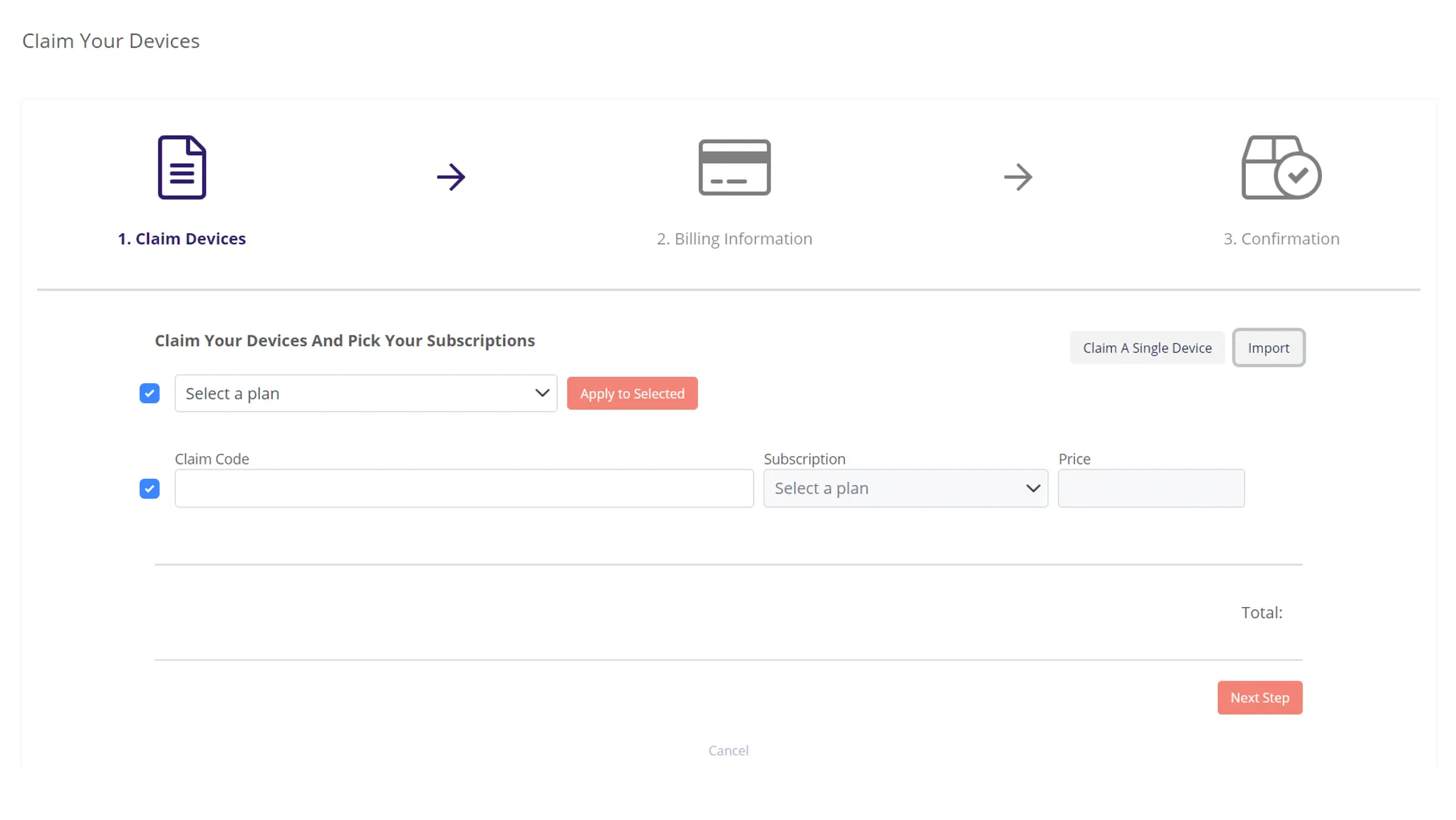
- Add a credit card or select the credit card that is already on file for the account in Billing Information.
- Select Confirm to activate the modem.